Recently, I set up a small home lab to explore how Responder.py works after hearing it mentioned in a cybersecurity podcast. What started as curiosity quickly turned into a practical lesson on how Windows name resolution and legacy protocols can expose credentials on a network.
Responder is commonly used in penetration testing to capture NTLM authentication attempts by poisoning local network traffic.
In this article, I’ll walk through how the attack works, what I observed, and how different mitigations actually behave in practice.
How Responder.py Captures NTLM Hashes
One of the most interesting findings was how early Windows begins resolving network resources.
When typing a UNC path like:
\fileserver\Windows starts resolving the hostname before pressing Enter.
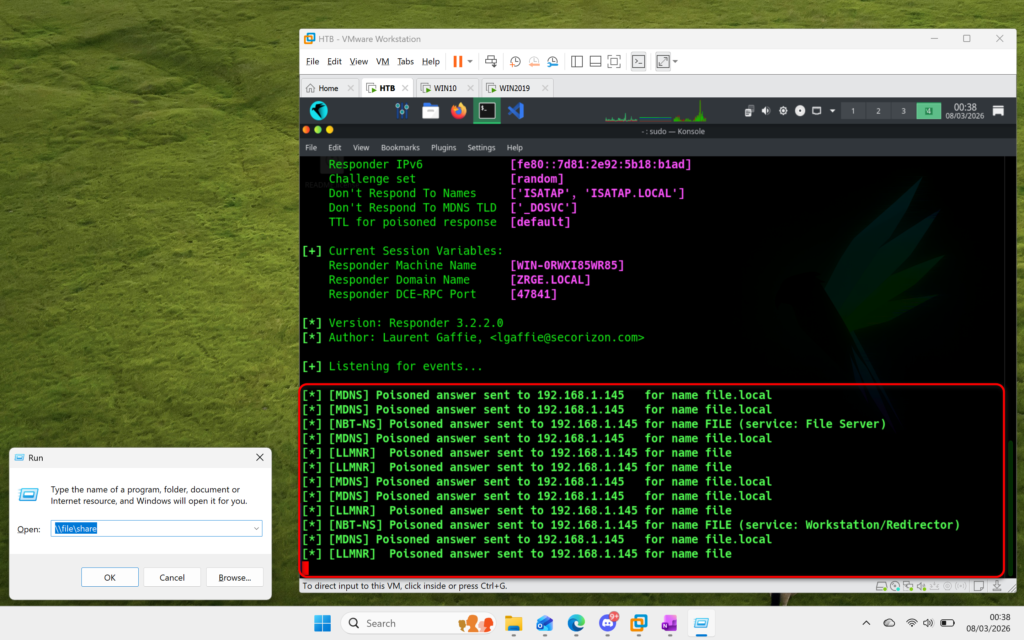
Name Resolution Order in Windows
If DNS fails to resolve the hostname, Windows falls back to:
- LLMNR (Link-Local Multicast Name Resolution)
- mDNS (Multicast DNS) (in modern systems)
- NetBIOS Name Service (NBT-NS)
This fallback behavior creates an opportunity for tools like Responder.
Responder Poisoning Explained
When Responder.py is running on the same network:
- It listens for broadcast/multicast name resolution requests
- Responds pretending to be the requested server
- Tricks the victim machine into connecting to it
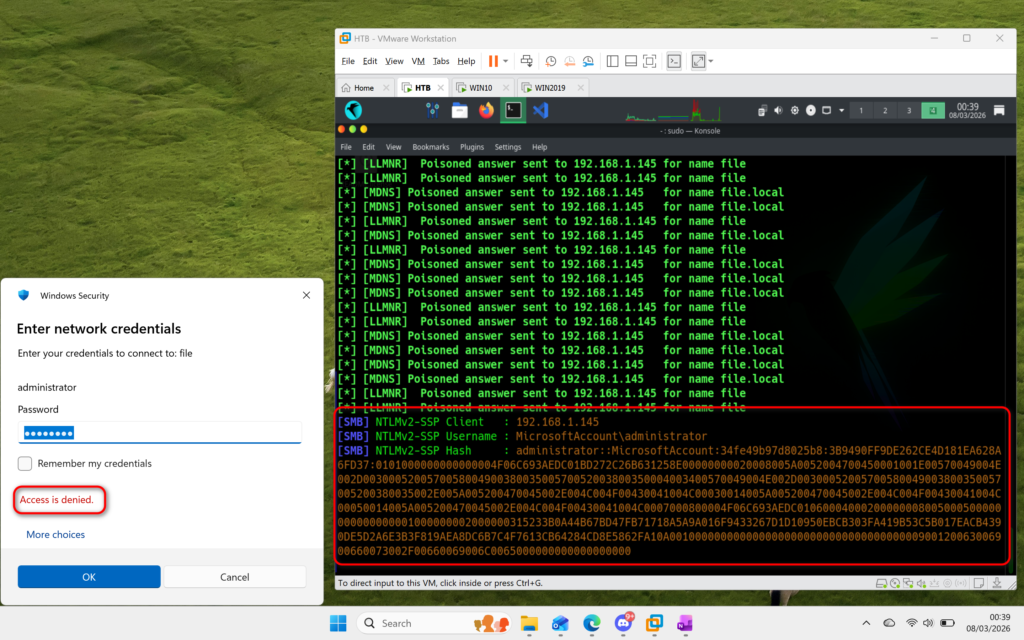
NTLM Authentication Flow
Once the victim connects:
- The system attempts authentication (usually SMB)
- If prompted, the user enters credentials
- Windows sends an NTLMv2 challenge–response hash
- Responder captures the hash
These hashes can then be tested offline using tools like:
- Hashcat
- John the Ripper
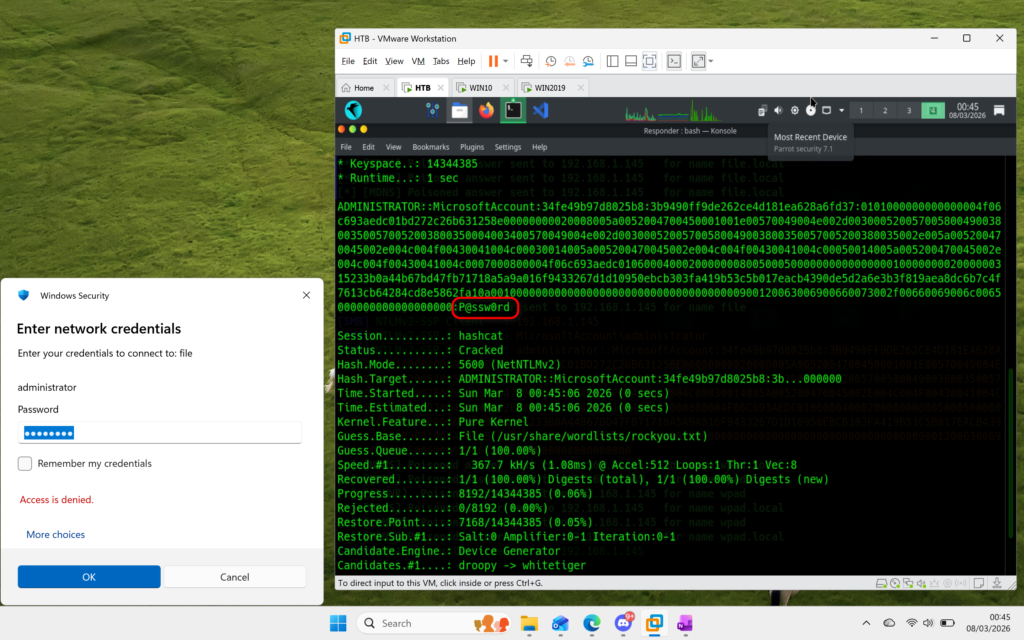
Testing Mitigations in a Lab Environment
To better understand defenses, I tested several common Group Policy mitigations.
Disabling LLMNR via GPO
After disabling LLMNR:
- LLMNR traffic stopped
- Responder still received requests over mDNS
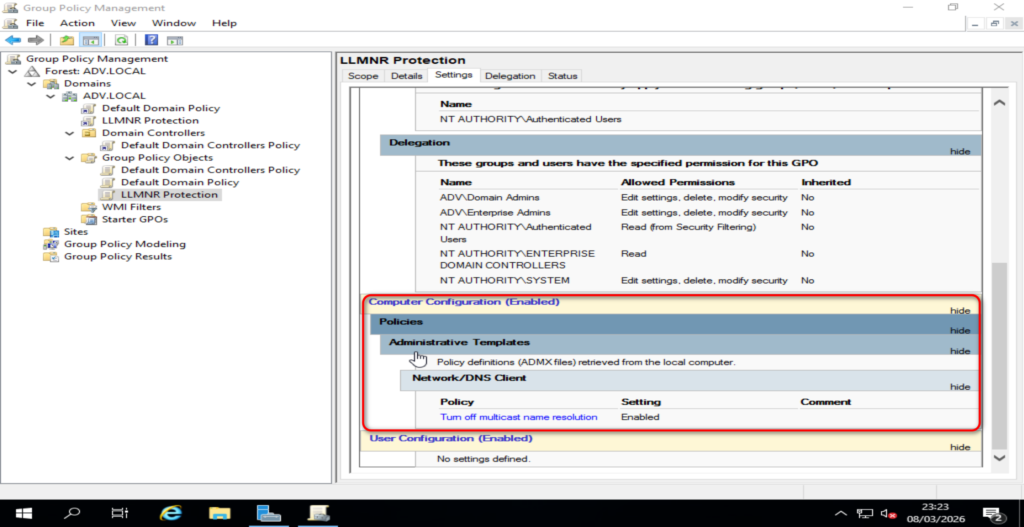
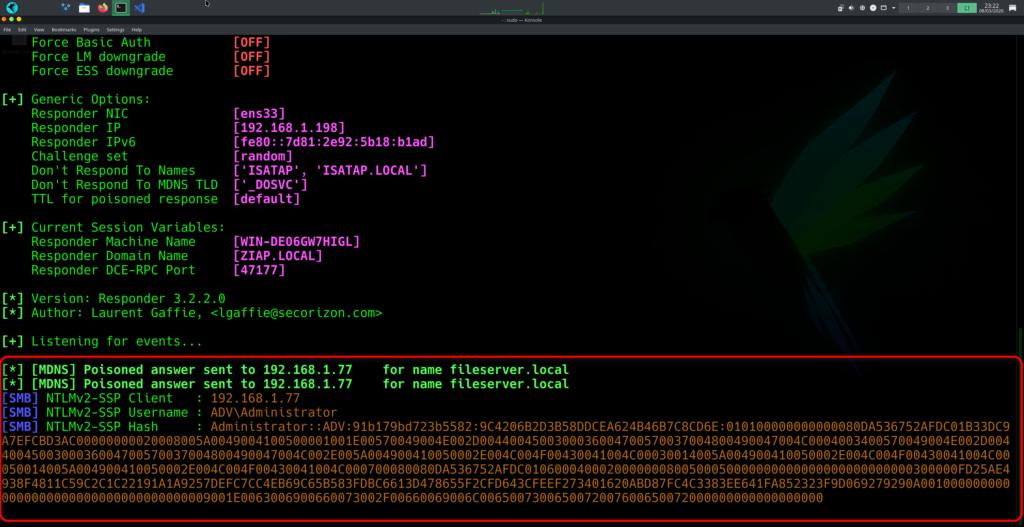
SEO Insight: Disabling LLMNR alone does not prevent Responder attacks because Windows may still use mDNS.
Disabling mDNS via GPO
Next, I disabled mDNS.
- mDNS traffic stopped
- Responder successfully poisoned NetBIOS (NBT-NS) requests
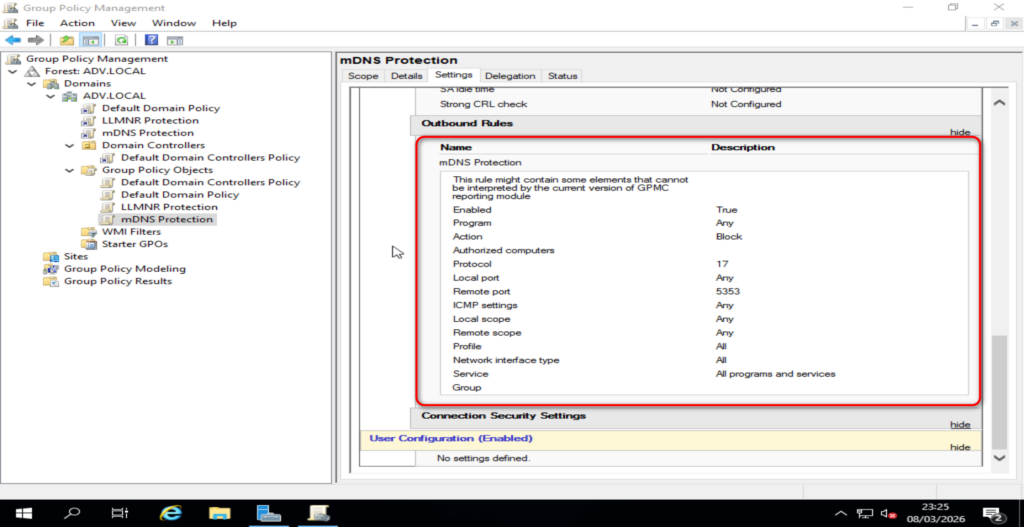
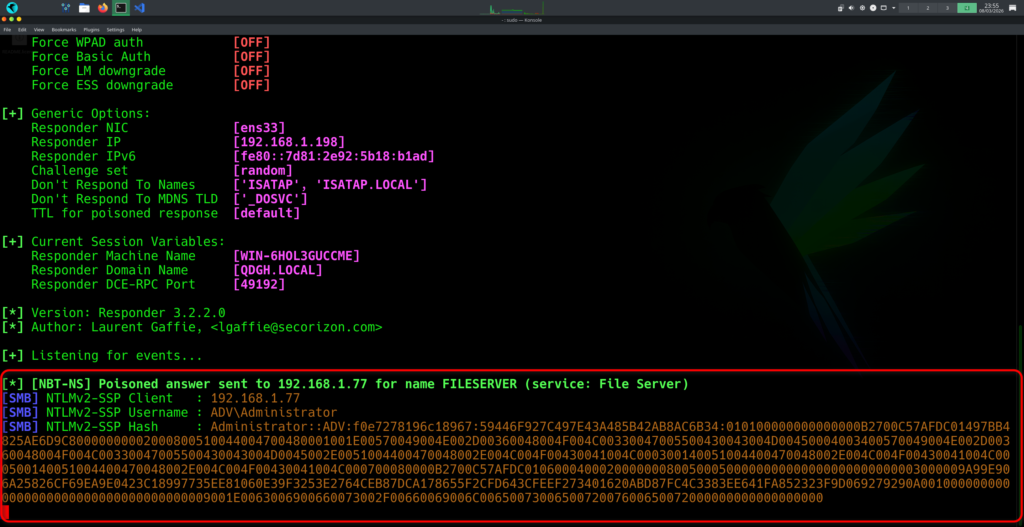
Key Insight: Even after disabling LLMNR and mDNS, NetBIOS remains a fallback unless explicitly disabled.
Enabling SMB Signing via GPO
Finally, I enforced SMB signing (required).
- Responder stopped receiving usable NTLM authentication hashes in my lab
Why SMB Signing Helps
- Ensures integrity of SMB communication
- Prevents tampering and relay attacks
- Disrupts malicious authentication flows used by Responder
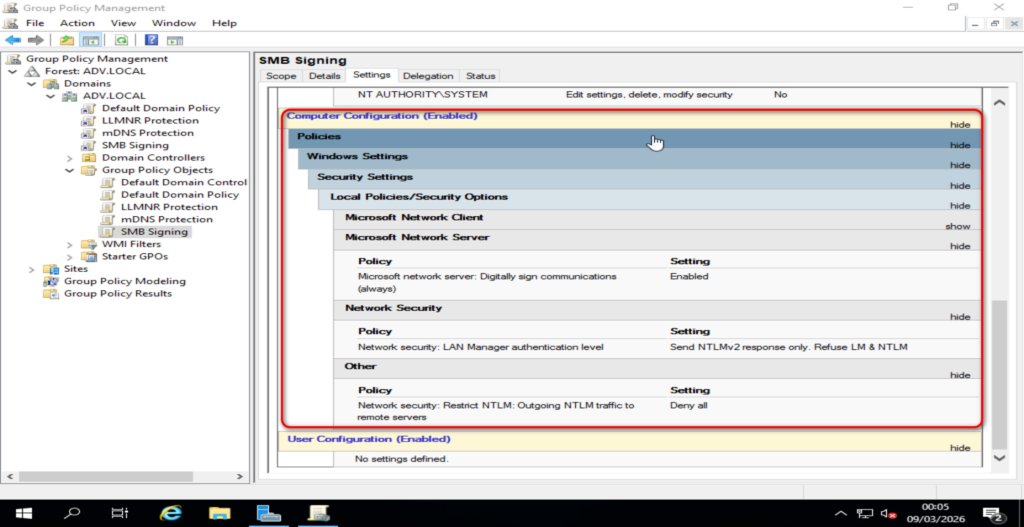
Important Note:
SMB signing is most effective against NTLM relay attacks. While it may reduce or stop hash capture in some lab setups, it should not be relied on as the only mitigation.
🛡️ Best Practices to Prevent Responder Attacks
To secure a Windows network against Responder-style attacks:
Disable Legacy Name Resolution Protocols
- Disable LLMNR via GPO
- Disable NetBIOS over TCP/IP
- Disable mDNS where not required
Use Proper DNS Configuration
- Ensure DNS is authoritative and reliable
- Prevent unnecessary fallback mechanisms
Enforce SMB Security
- Enable SMB signing
- Disable SMBv1
Strengthen Authentication
- Enforce strong passwords
- Consider Kerberos over NTLM where possible
Monitor Network Traffic
- Detect unusual broadcast name resolution traffic
- Monitor for rogue responders on the network
Final Thoughts
This lab reinforced how small, often-overlooked protocols like LLMNR and NetBIOS can introduce real security risks. What feels like normal user behaviour—such as accessing a file share—can trigger multiple fallback mechanisms that attackers can exploit.
Understanding these underlying processes is key to both effective penetration testing and building stronger defenses.
Disclaimer
This experiment was conducted in an isolated lab environment for educational purposes only. The techniques discussed are intended for authorized security testing and to help organizations improve their security posture.